Pajo Sounds: A Sleep App That Helps People Fall Asleep Faster With Custom Audio.
TYPE :
Android app
ROLE :
Research, Wireframing, Visual design
TEAM :
Joydip (Software developer) & Myself
Uncovering User Needs:
Even with hundreds of sleep sound apps available, many people still struggle to fall asleep. In a crowded market, most apps fail to address users’ key needs. This project aimed to challenge that status quo by creating a sleep-sound app that truly helps people rest.
Through market research and early user feedback, two recurring user frustrations stood out:
1 — Users didn’t just want a list of sounds, they wanted control and customization.
2 — Most content was locked behind pricey subscriptions, which limited access.
Defining the MVP:
Prioritizing what matters:
We decided to build an MVP focused on one core feature: the sound library, while directly addressing key user pain points.
The approach was simple: launch fast, test with real users, and iterate based on feedback.
Here’s what the MVP included:
Standout Features
Personalized sound recommendations based on listening habits.
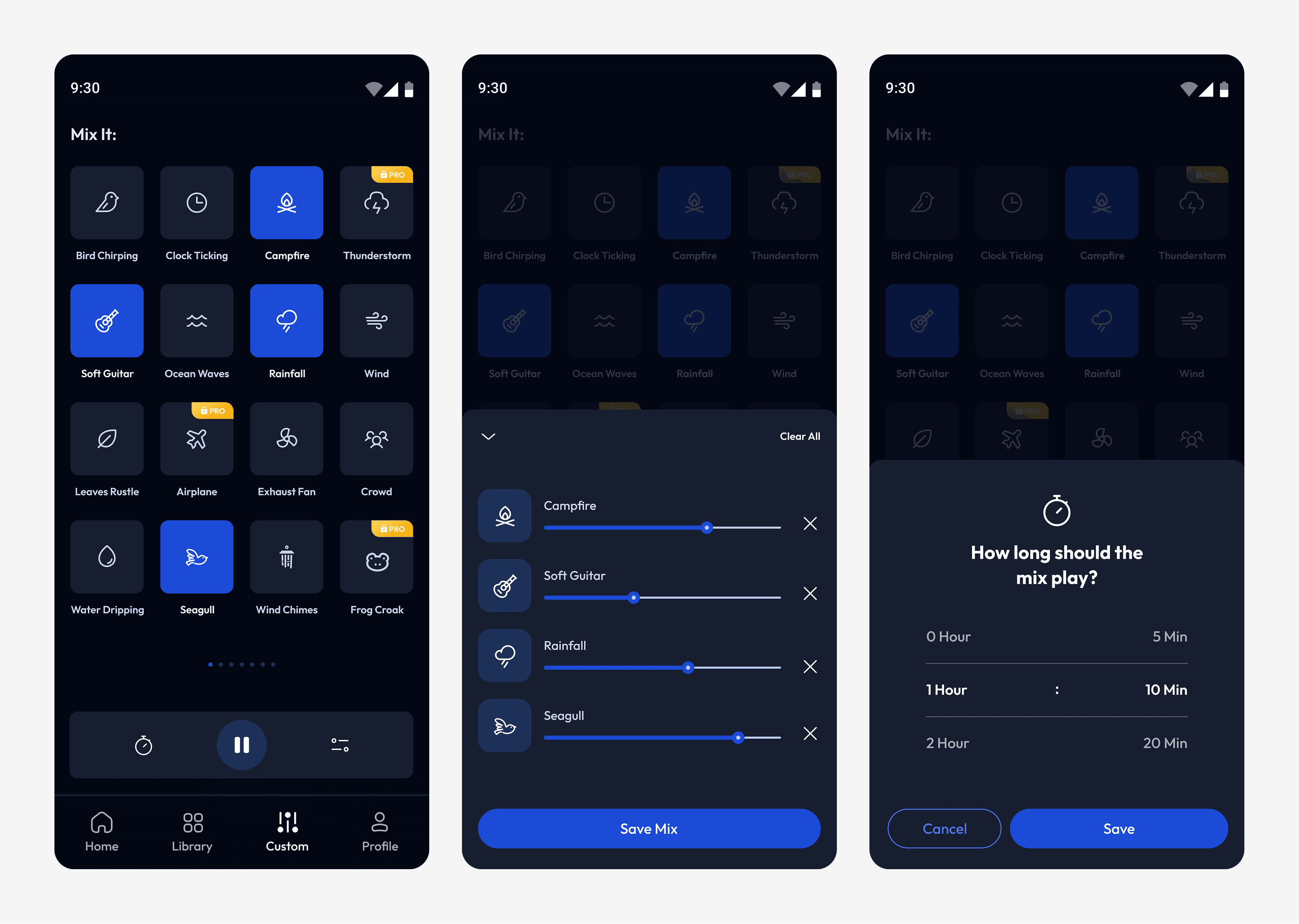
Mix & Match, combine multiple sounds, adjust volume levels, and save custom mixes.
Sleep guides with actionable tips to improve rest.
Essential Features
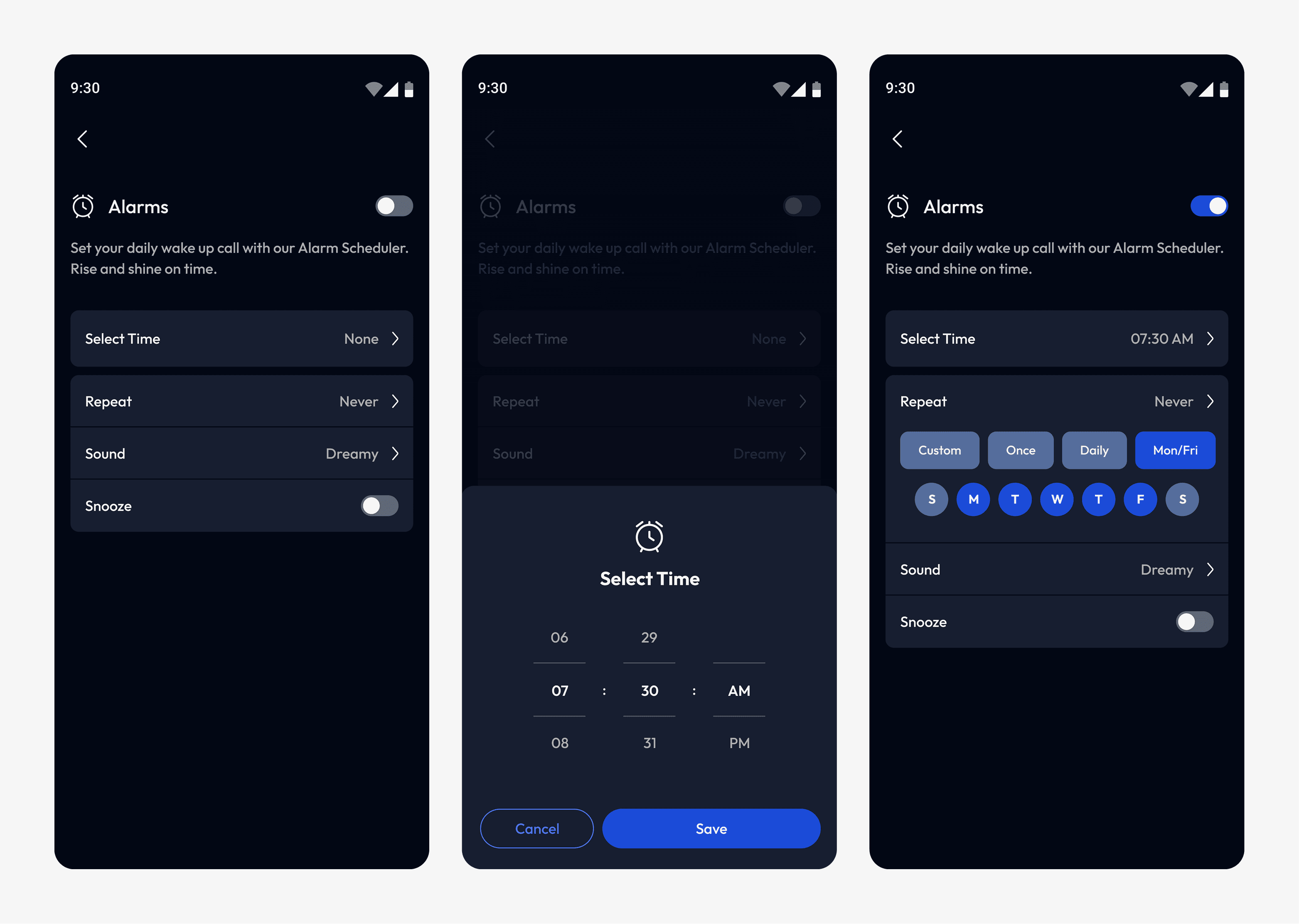
Set alarms with gentle sounds for a calm wake-up.
Save favorite sounds for quick access.
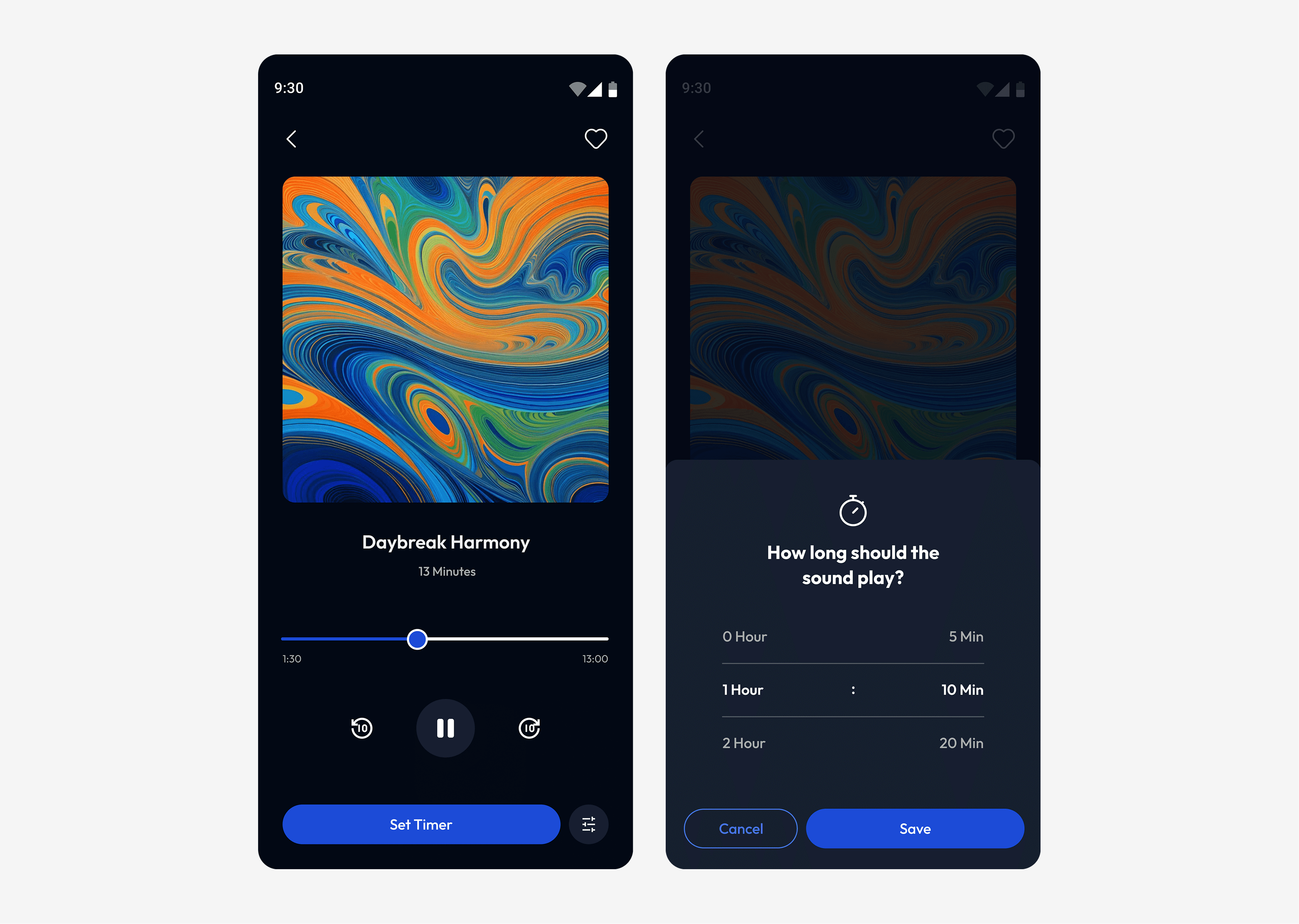
Sleep timer to stop playback after a set time.
Setting product targets:
To stay aligned, we set clear initial objectives for the MVP:
1 —
Reach 300+ downloads in the first month.
2 —
Collect 25+ user reviews to guide improvements.
3 —
Achieve 40% user retention after 30 days to track ongoing engagement.
Designing the Experience:
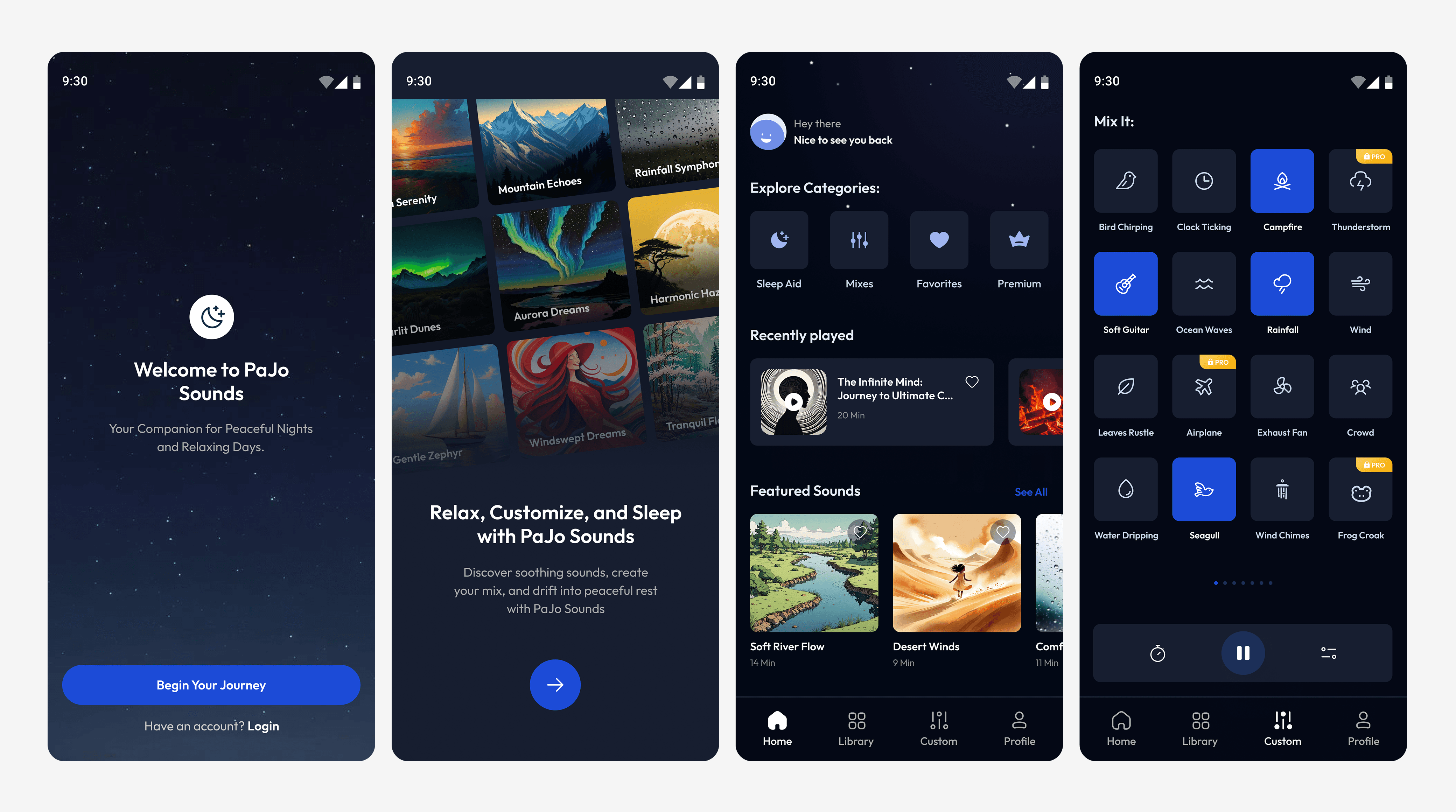
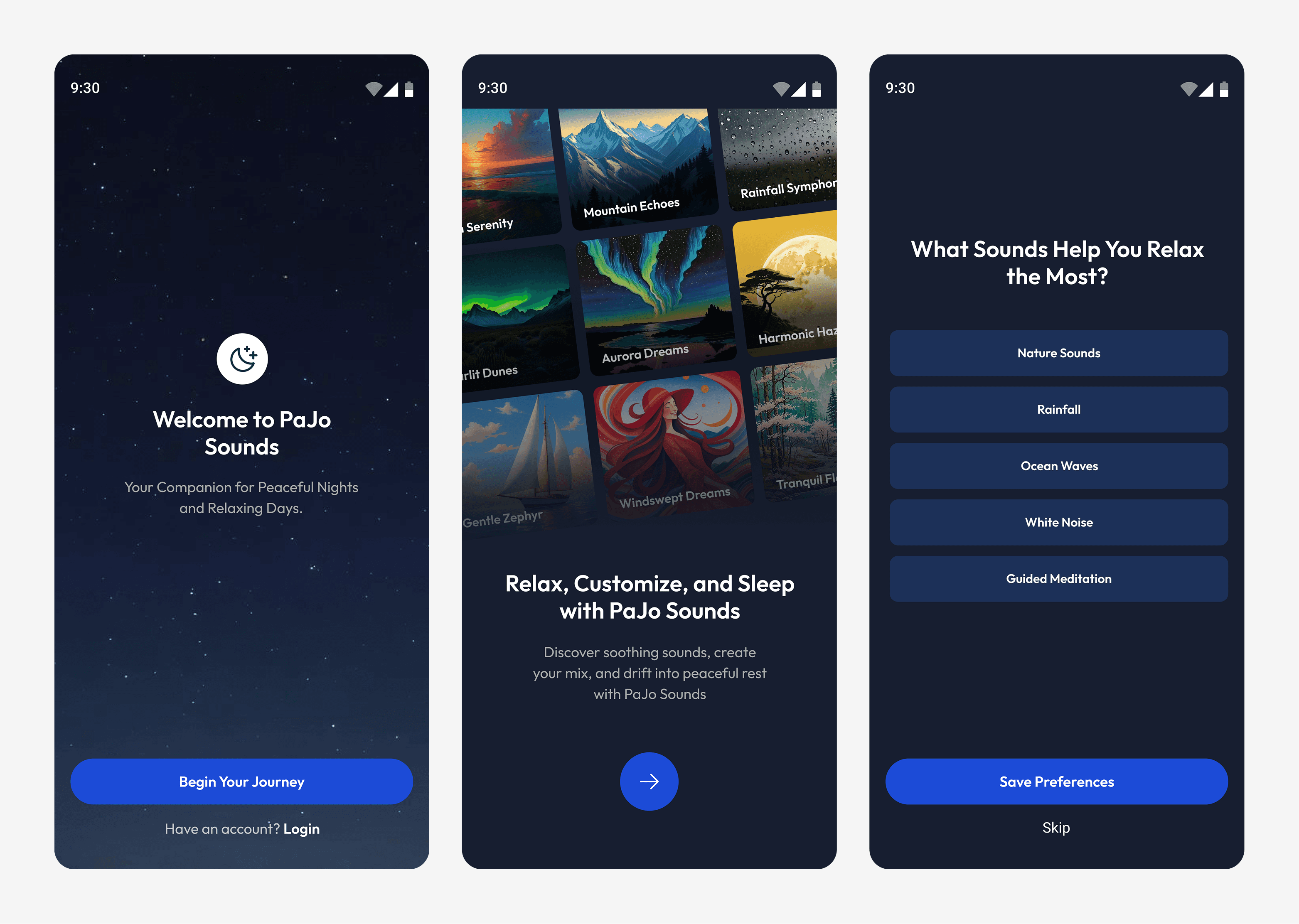
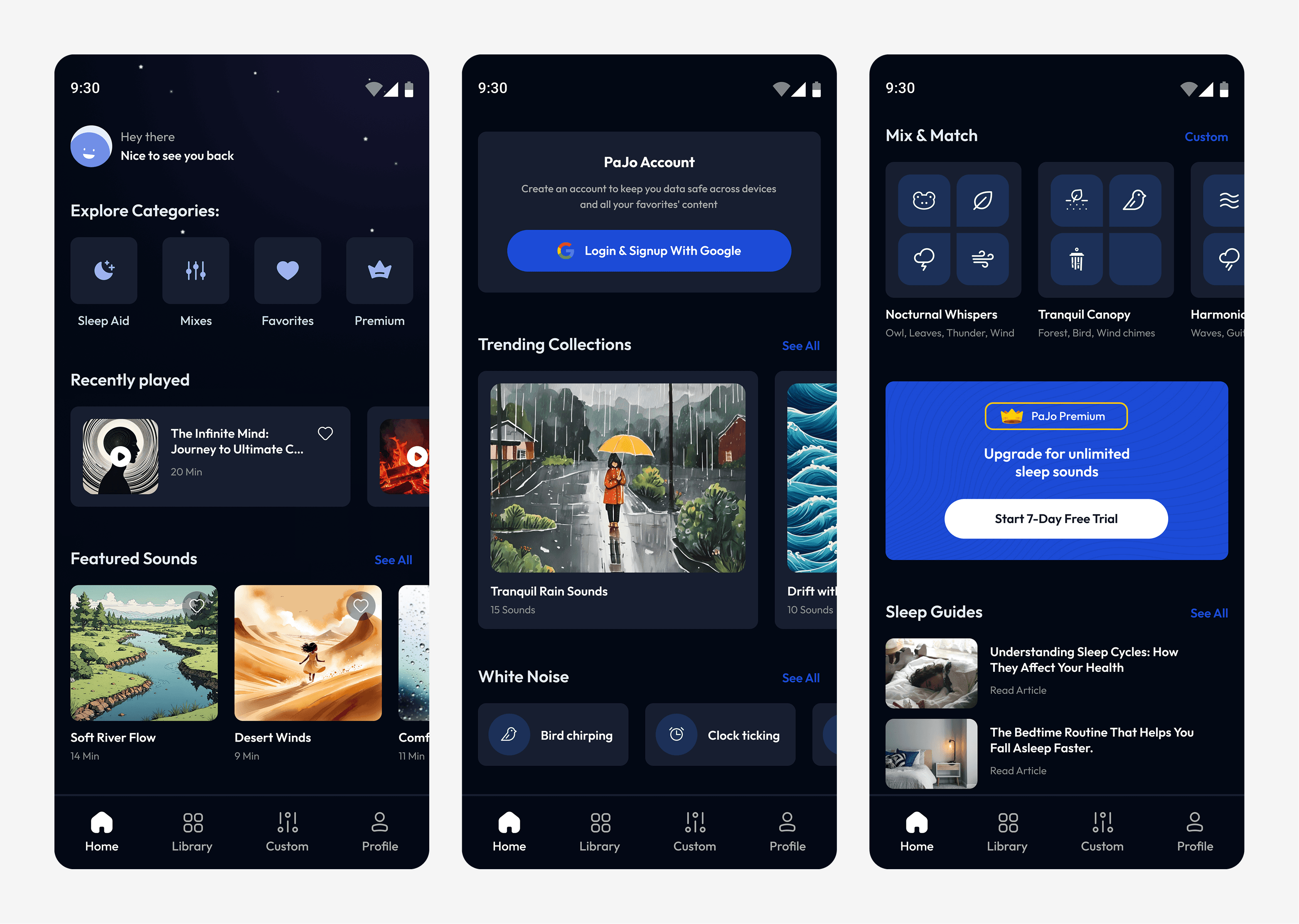
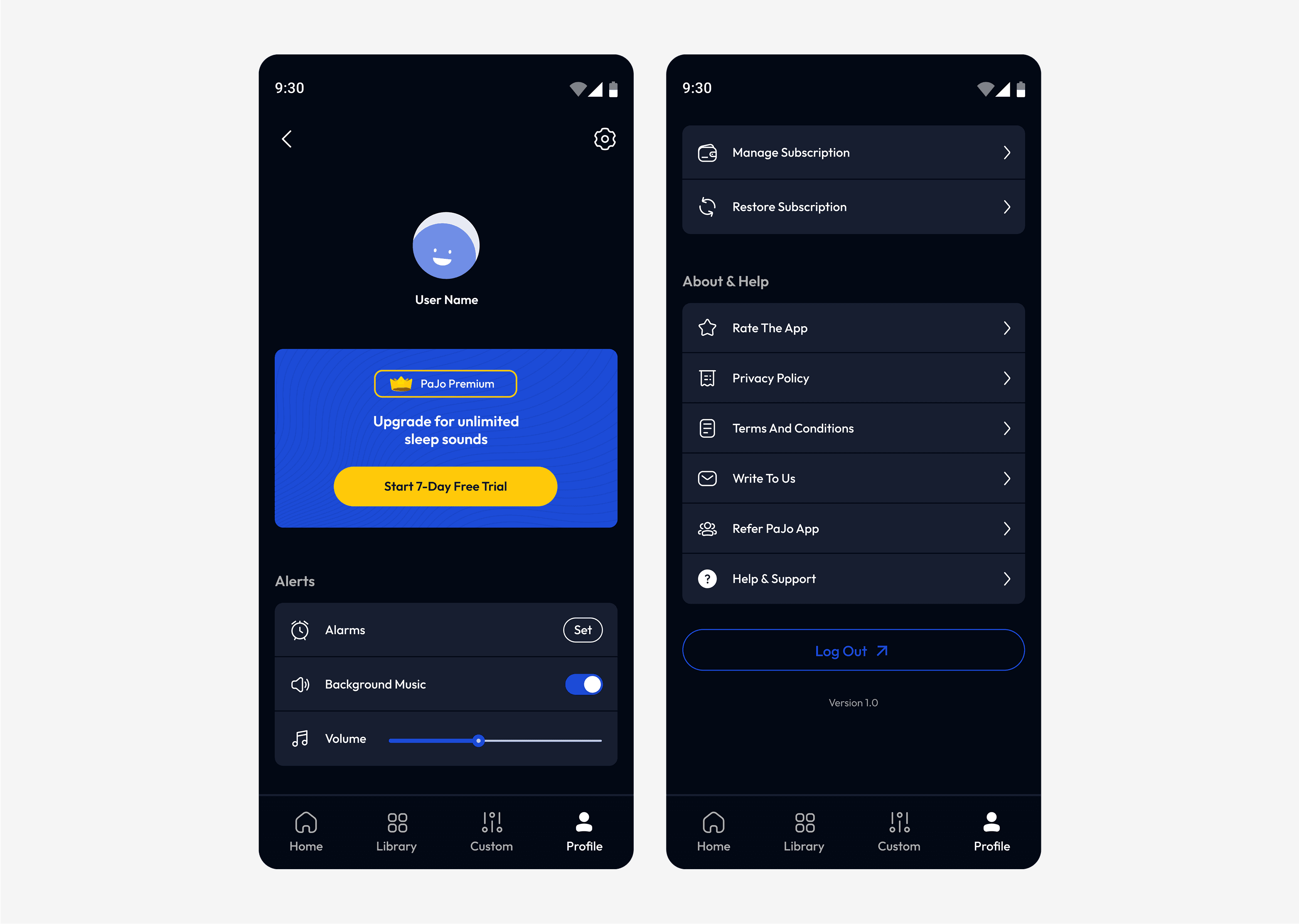
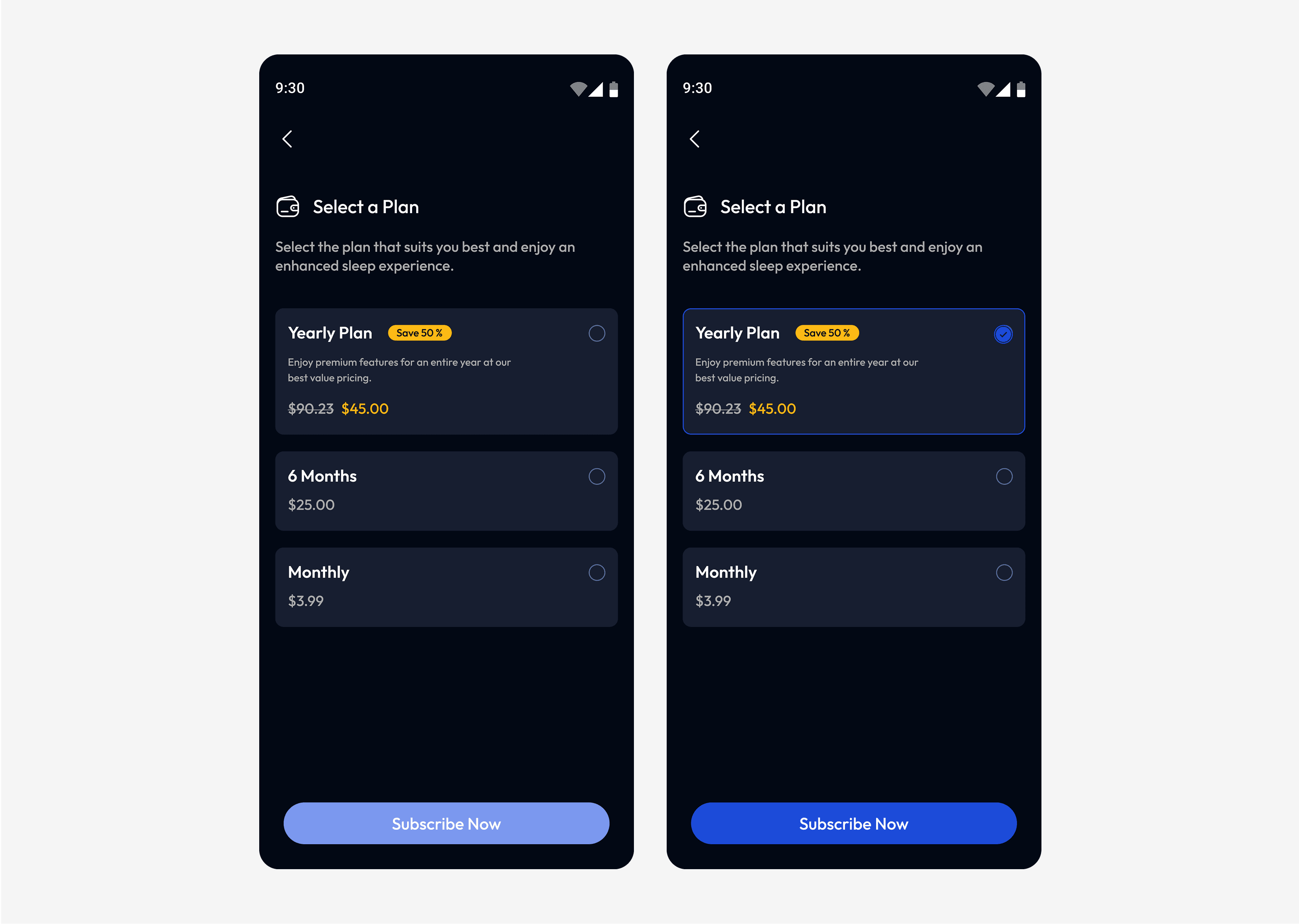
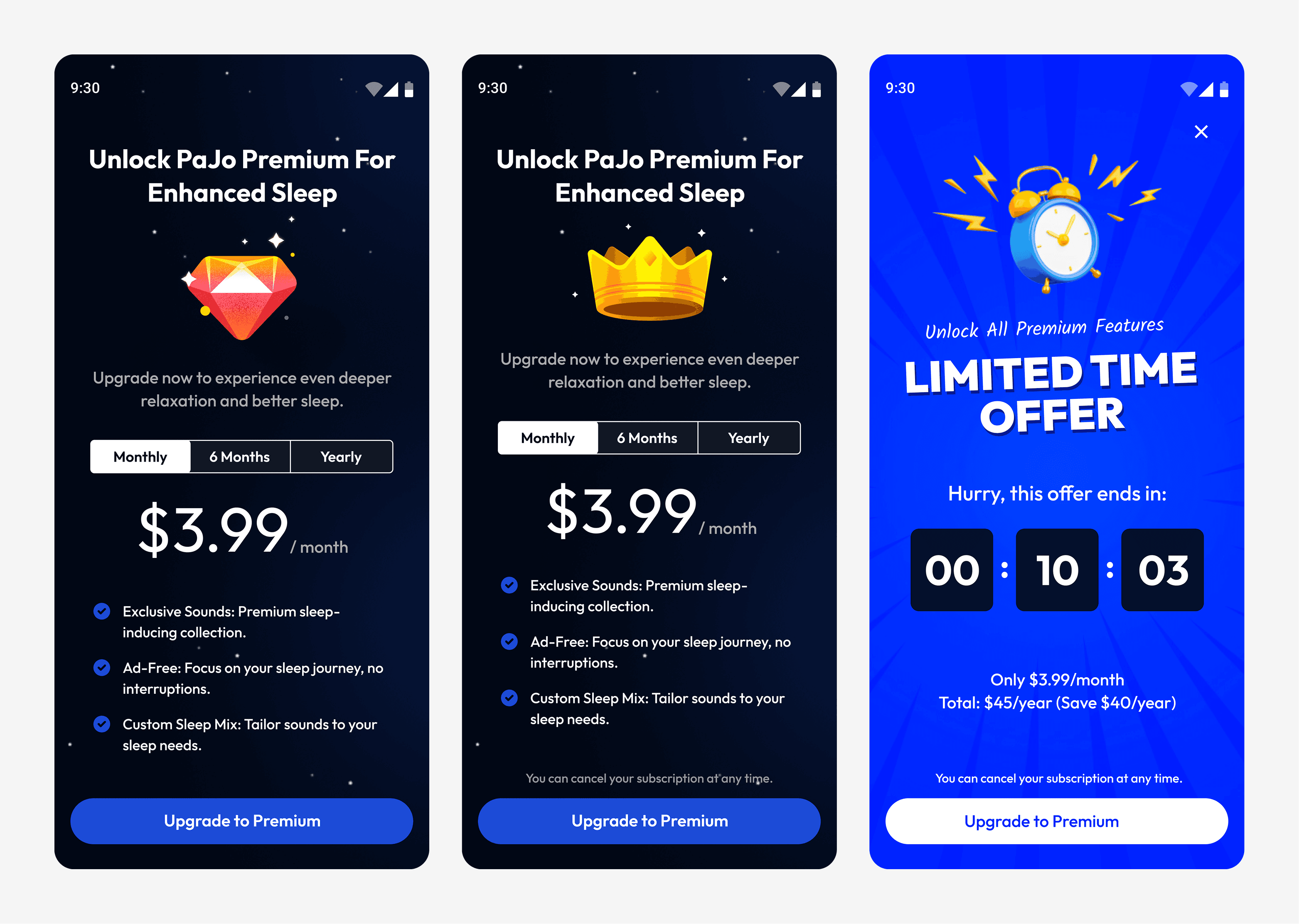
We began with wireframes to map the app’s structure, followed by creating a style guide. The final step was designing the UI, focusing on a clean, intuitive, and calming experience.
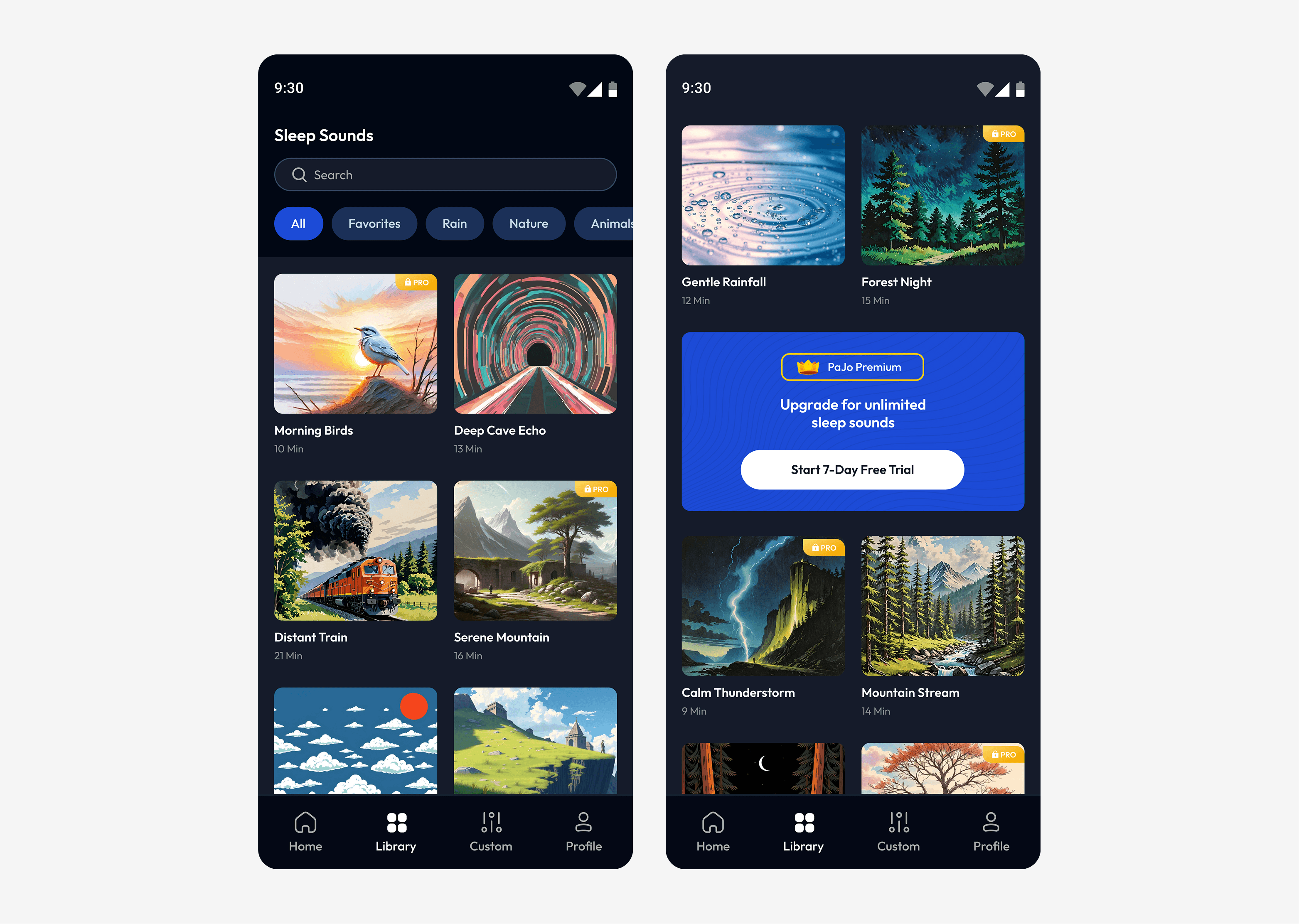
The onboarding screens introduce the app and let users set sound preferences. Once onboarded, users can explore the library, mix sounds, and set timers in just a few taps.
Since most users would engage at night, we designed primarily in dark mode.
Blue served as a soothing accent color, and the 'Outfit'-typeface ensured readability in low-light conditions.
Early Outcomes:
In the first 40 days post-launch, we saw promising signs of traction.

1,052 App Downloads

9 Google Play Reviews

1 user upgraded to premium
Facing Challenges:
While downloads continued to grow, user retention proved to be a challenge. Only 34% of users returned regularly, highlighting the need for a more engaging experience.
Additionally, the low number of reviews made it difficult to gather actionable feedback for future improvements.
Challenge 1: How can we improve user retention?
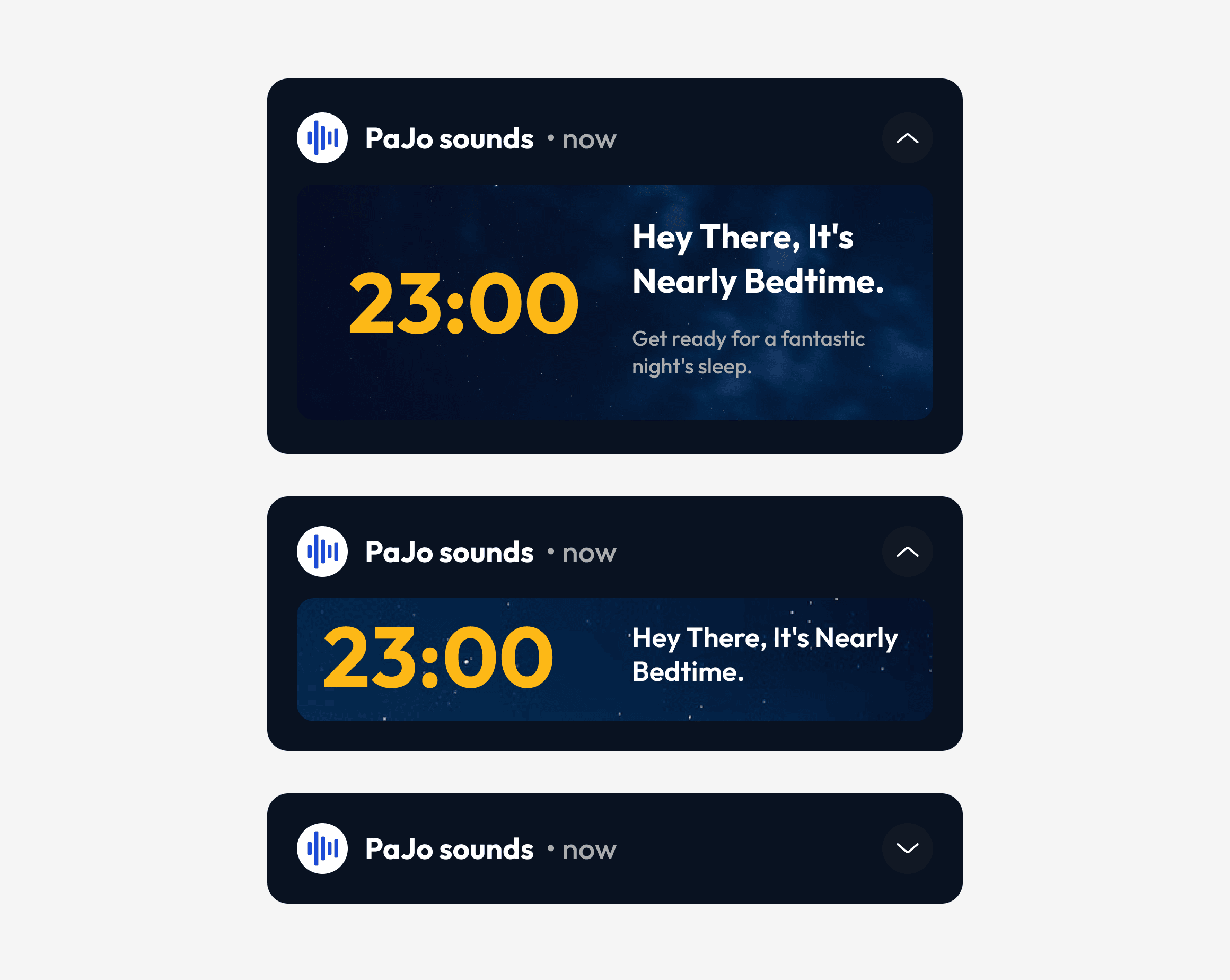
Solution 1: Push Notifications
We introduced push notifications to encourage users to return. Inspired by Duolingo’s CEO, Luis von Ahn, we timed notifications to be sent 24 hours after a user last interacted with the app.
Solution 2: Bedtime Reminder
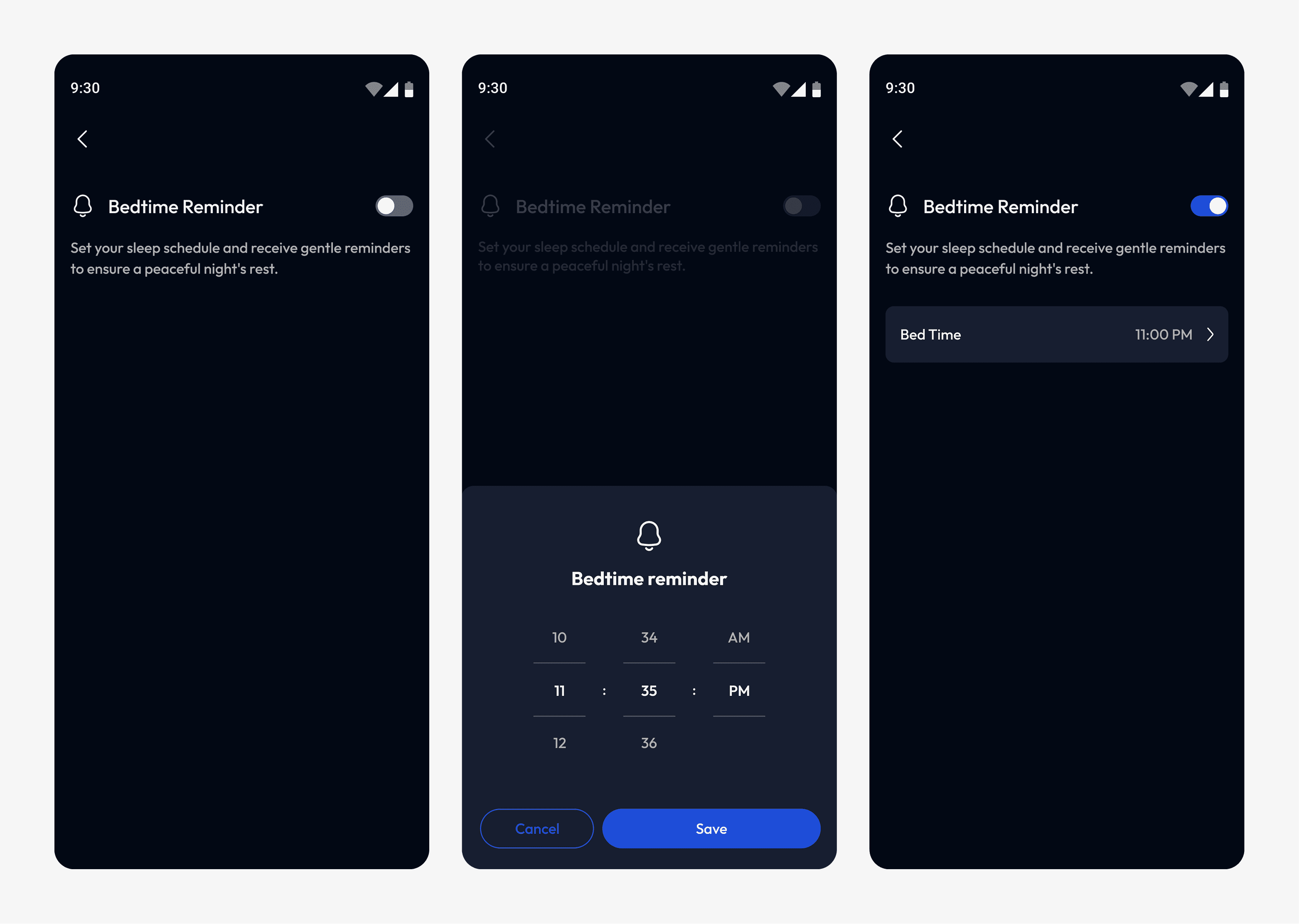
We added a bedtime reminder to gently prompt users at their usual bedtime, encouraging them to use the app more frequently while helping them build better sleep habits.
Challenge 2: How can we encourage users to leave reviews?
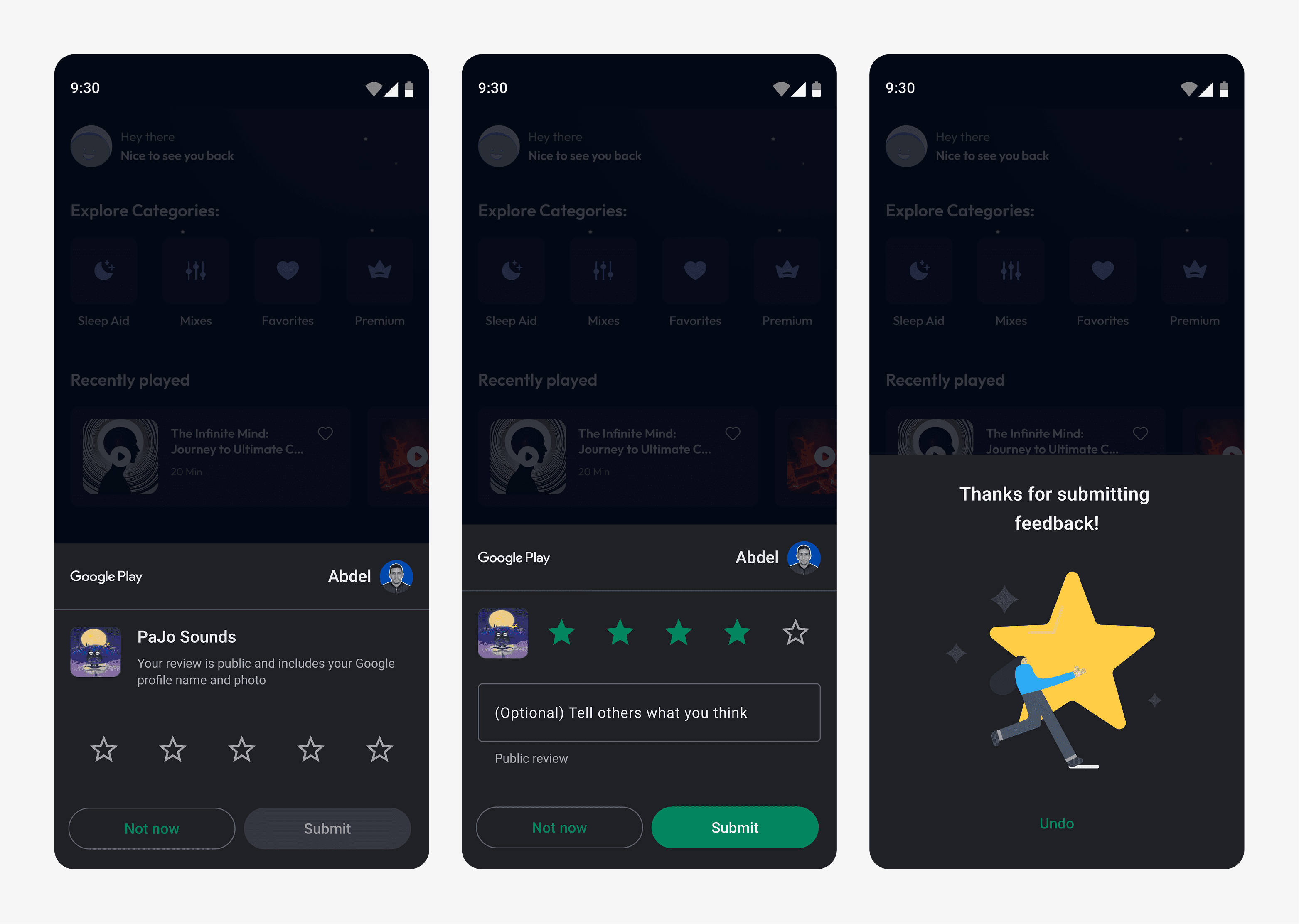
Solution 1: Google Play Store Review API
We considered the Google Play Store Review API to increase user ratings, as the original option on the profile screen saw little use.
Pros: seamless experience, reduces friction.
Cons: no control over when the prompt appears.
Solution 2: Custom In-App Review Prompt
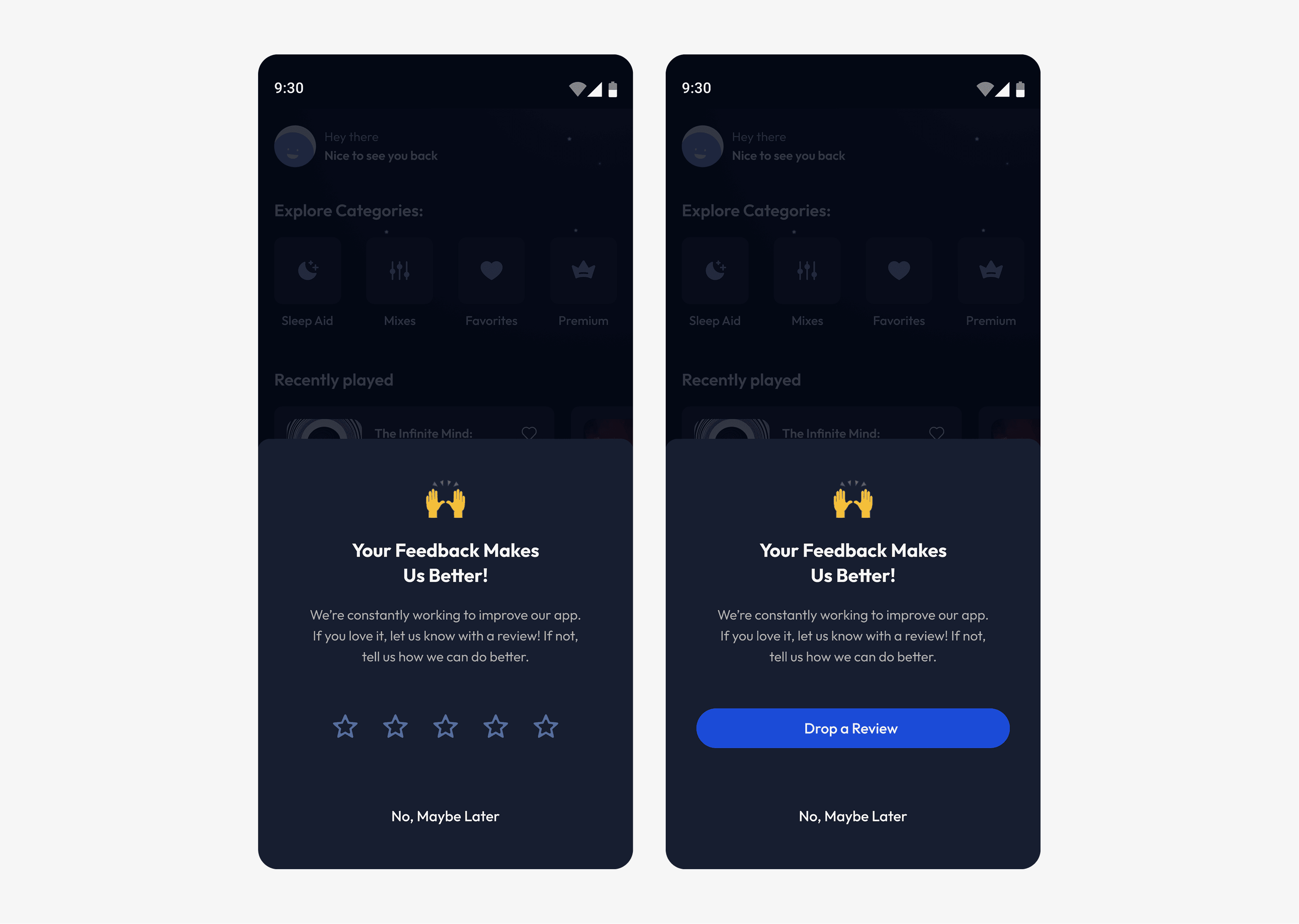
We explored implementing a custom in-app review prompt that directs users to the Play Store to leave a review.
Pros: full customization of timing and appearance.
Cons: interrupts the user’s flow (requires users to leave the app to complete the review).
Final Decision:
We started with the Google play store review API, as it aligns with users' familiarity with the platform. This approach is an intentional compromise, balancing wider reach with minimal disruption to the user experience.
If it falls short, we'll iterate by testing a custom in-app review prompt for more control.
Expanding the experience:
Exploring three new features:
Sleep Tracker
Journal
AI Bot
The AI bot was prioritized to directly address sleep difficulties, a key user pain point, while also leveraging the growing AI trend. This feature offered the dual benefit of improving the user experience and positioning the app for future growth.
Introducing AI:
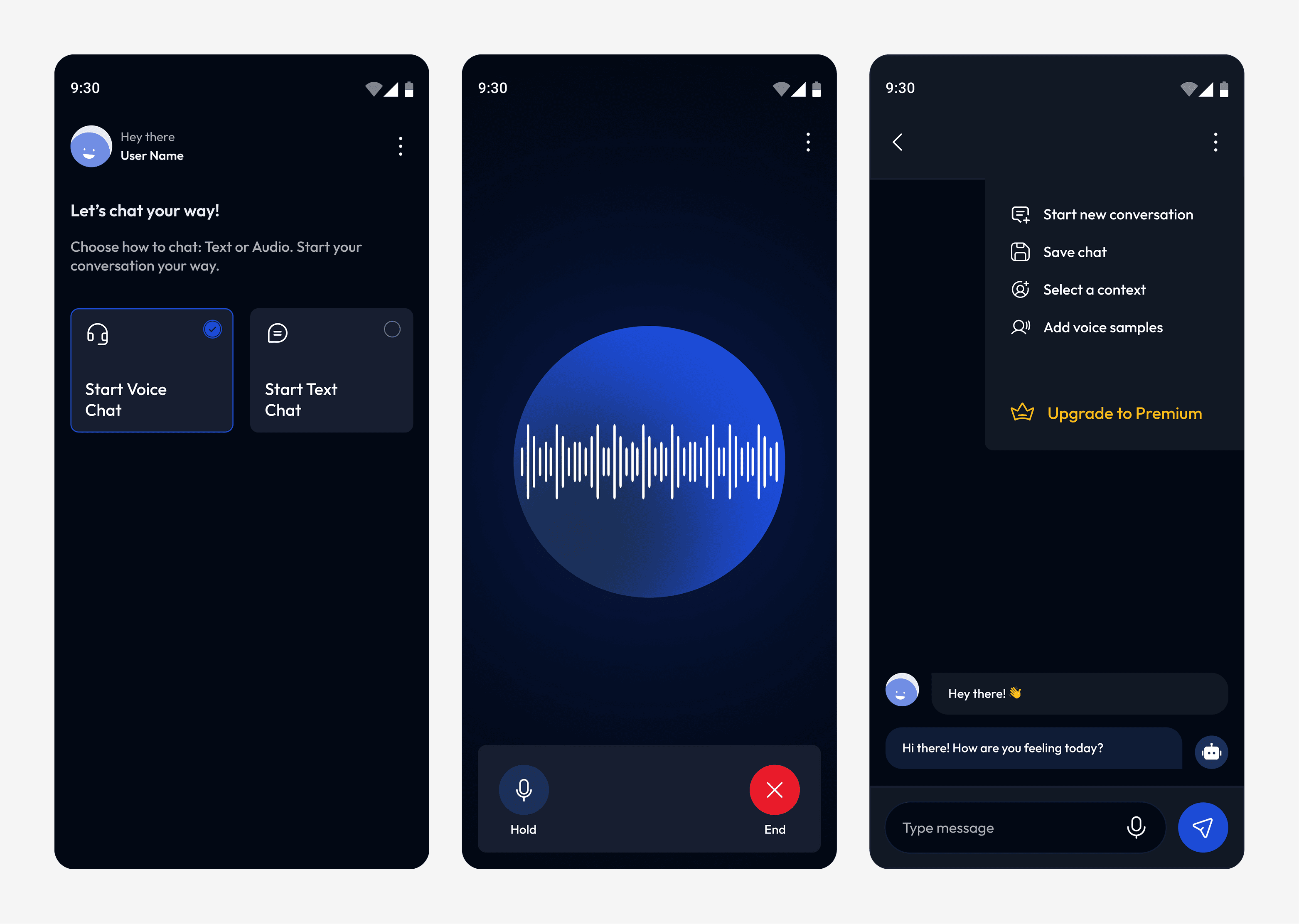
The AI bot offers a personalized, conversational experience, where users can:
Chat via text or voice.
Choose the bot’s persona (e.g., friend, mentor, mindful coach).
Upload voice samples (for Premium users).
Taken Down Overnight:
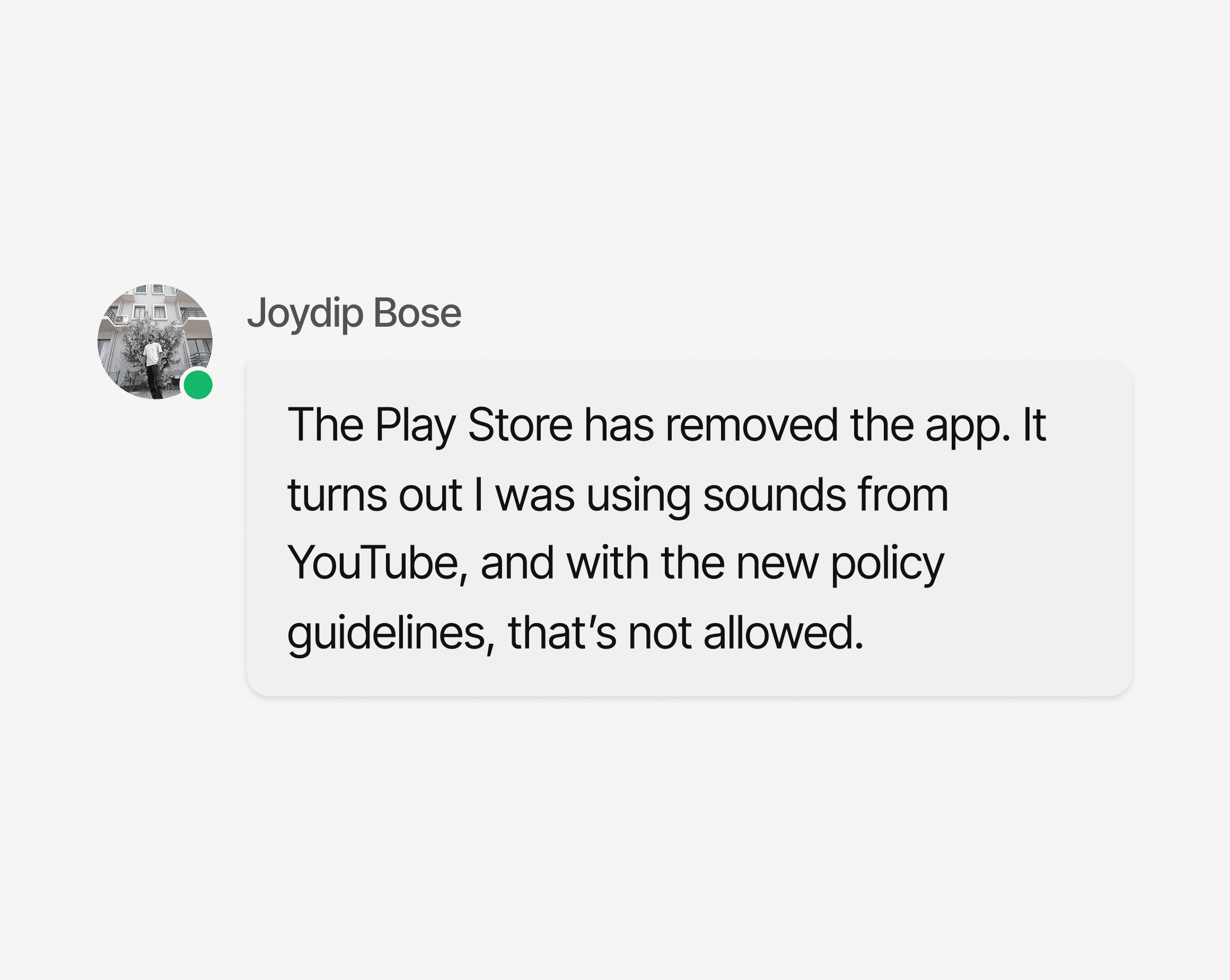
We were wrapping up the AI Bot when everything came to a halt.
Takeaways:
Keep an Eye on the Numbers: Metrics show what’s working and where to improve.
The Process Isn’t Always Linear: Design rarely moves in a straight line. You’ll often revisit, tweak, or explore new directions.
Set Clear Expectations Early: It avoids confusion, reduces delays and keeps everyone aligned.
Always Check Copyright: Issues here can cost you, make sure everything is cleared before use.
What’s next?
We’re addressing the copyright issues to relaunch with stronger content compliance. Our next major focus is getting the app back on the Play Store, growing the user base to at least 5,000, and exploring a potential shift in direction. Joy suggested expanding the app’s focus from sleep sounds to a broader mental health and wellness experience.